
Agent chat widget and headless client
Every MCP server can also be reached as a conversational agent: no MCP client or AI tool required on the other end. Turn on Agent in your MCP server settings to get an agent endpoint, ready to plug into an embeddable Bump.sh chat widget or your own interface.
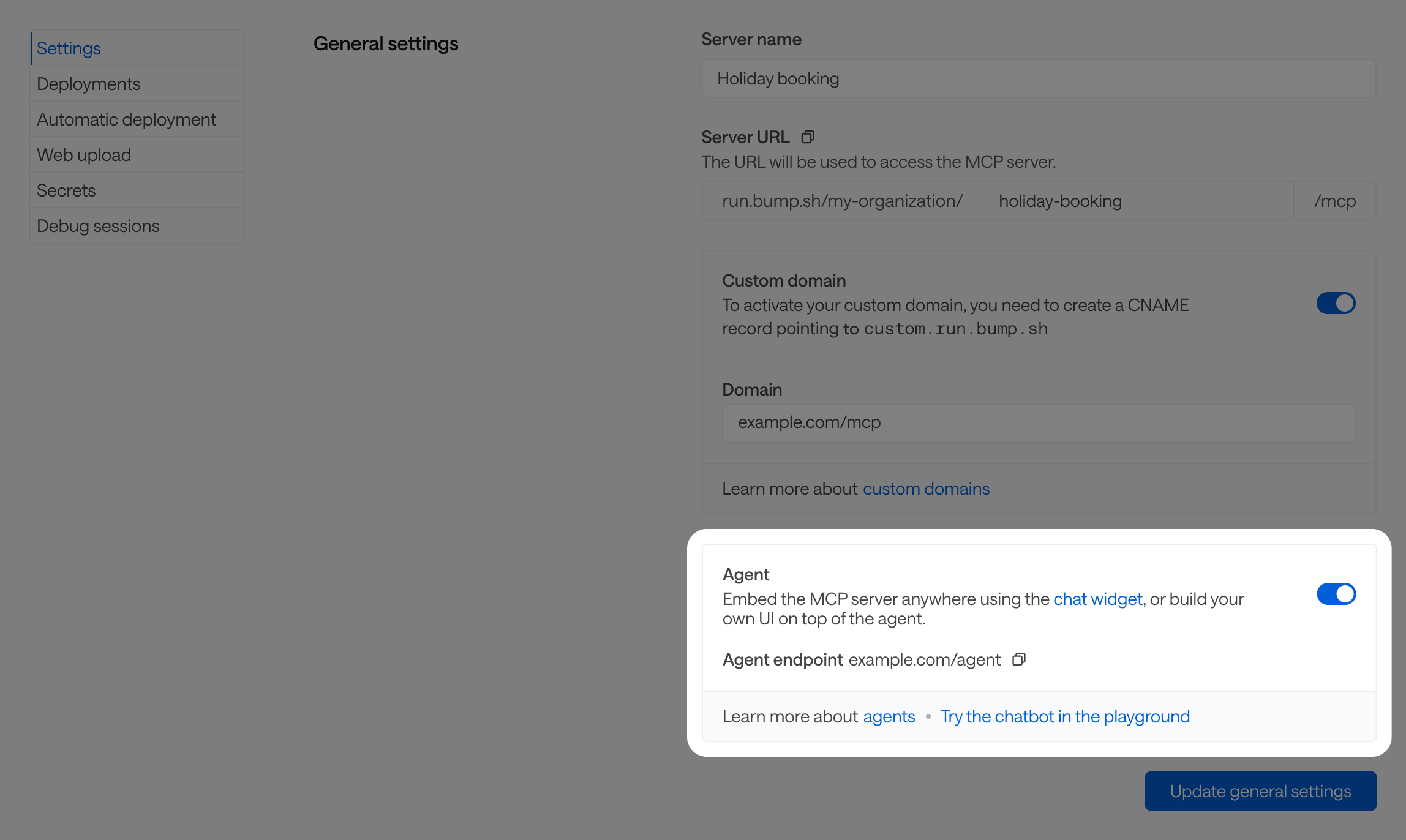
The agent endpoint follows the format https://run.bump.sh/ORGANIZATION_SLUG/MCP_SERVER_SLUG/agent, or your https://your-custom-domain.com/agent if you set one up.
From there, you have two ways to build on it, both from the open-source agent-client SDK:
| What it does | Use it when | |
|---|---|---|
| Chat widget | A ready-to-use, embeddable chat UI (Web Component). | You want to add a working chat widget to your app in a few lines of code. |
| Headless client | A dependency-free client that streams the conversation, with no interface. | You’re building your own UI: a Slack bot, a CLI, a custom chat panel, … |
Chat widget #
A ready-to-use chat widget for your product, so your own users can run your workflows straight from your app in natural language: no external LLM tool or MCP client needed on their end. It’s a Web Component that can easily be added to your page in HTML or JavaScript.
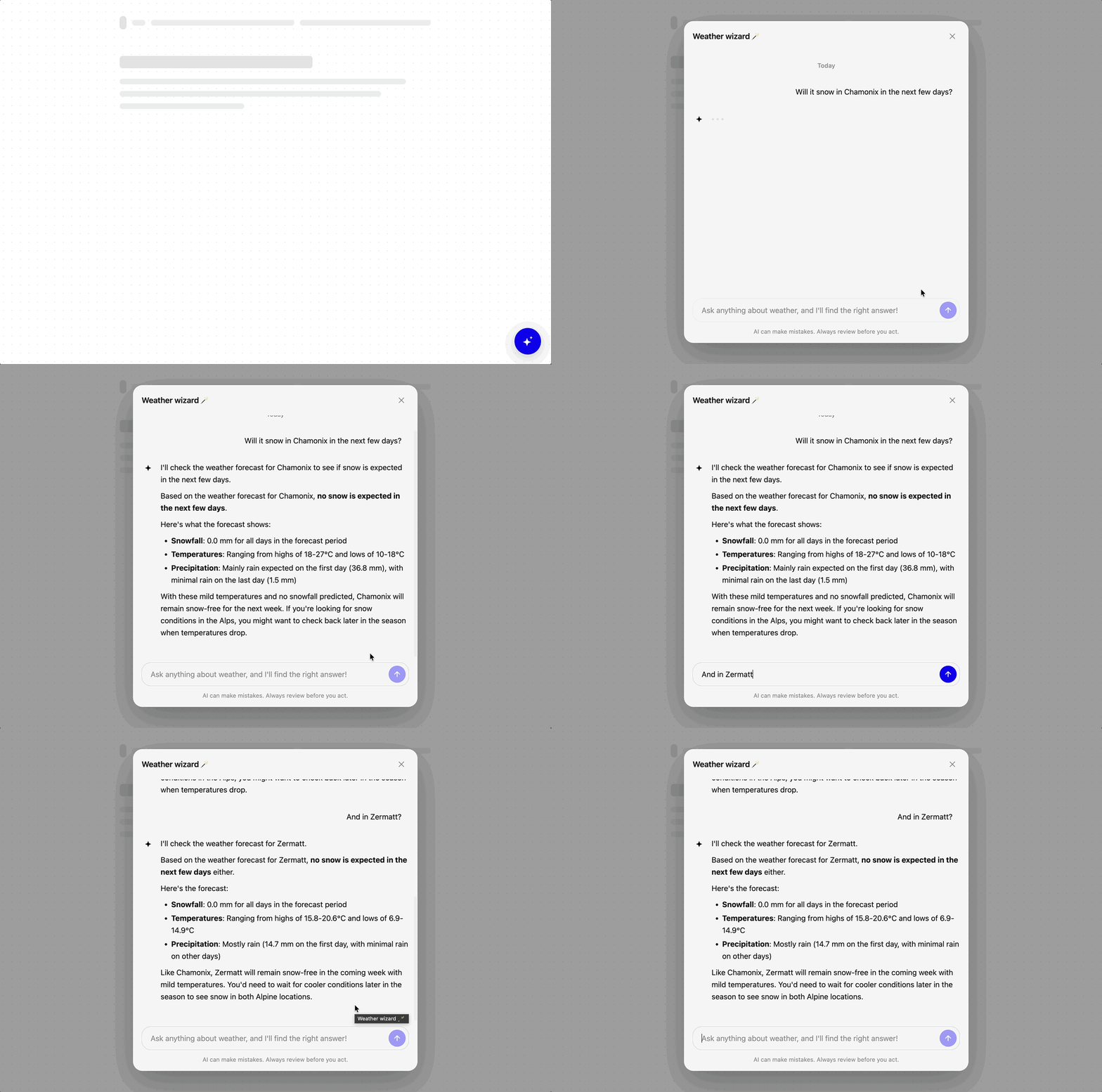
Try it in the playground #
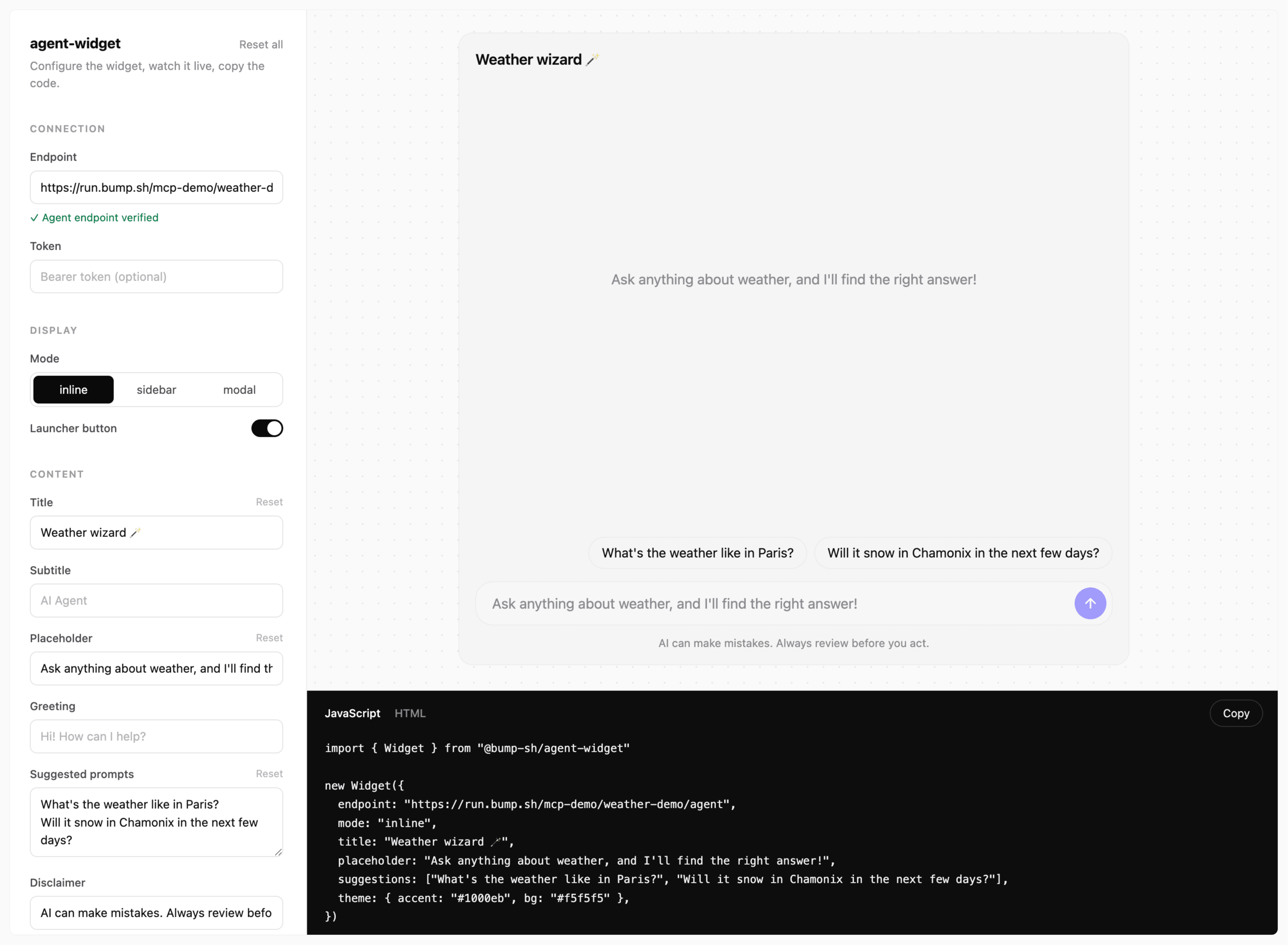
Before writing any code, test and customize the chat widget against your real endpoint in the playground.
You can find a playground link pre-filled with the agent endpoint in your MCP server settings.
Every option you tweak (mode, theme, title, greeting, …) is reflected live in the preview. The code panel gives you the JS or HTML snippet to copy into your app to get your customized chat widget live.
Install and embed #
@bump-sh/agent-widget provides a chat panel and an access button in a few lines of code. It has no dependencies and stays isolated from your page’s styles (Shadow DOM).
npm install @bump-sh/agent-widget
import { Widget } from "@bump-sh/agent-widget"

new Widget({ endpoint: "https://run.bump.sh/ORGANIZATION_SLUG/MCP_SERVER_SLUG/agent" })
Or declaratively, straight from a CDN, with no build step:
<agent-widget endpoint="https://run.bump.sh/ORGANIZATION_SLUG/MCP_SERVER_SLUG/agent"></agent-widget>
<script type="module" src="https://unpkg.com/@bump-sh/agent-widget"></script>
Display modes #
| Mode | Behavior |
|---|---|
modal (default) |
Access button that opens a centered chat window. |
sidebar |
Access button that opens a chat panel docked to the side. |
inline |
Always-open chat, mounted directly into an element on your page (target). |
Here, mode switches to the always-open layout inline, and target gives the CSS selector of the element to add it into.
new Widget({ endpoint, mode: "inline", target: "#chat" })
Customization #
Most of the widget’s UI is customizable through options passed to new Widget({ ... }). Here’s a list of the most commonly used:
| Option | Description |
|---|---|
title, greeting, suggestions |
Header text, optional opening message, clickable example prompts. |
theme |
Common CSS tokens (accent, bg, text, font, radius, …). |
See the widget README for the complete list of options.
Headless client #
If you’d rather build your own UI, use @bump-sh/agent-conversation directly: it’s the same streaming client the widget is built on, with no interface attached.
npm install @bump-sh/agent-conversation
import { Conversation } from "@bump-sh/agent-conversation"

const conversation = new Conversation({ endpoint: "https://…/agent" })

// await the full reply…
const reply = await conversation.send("What's the weather in Paris?")

// …or stream every event
for await (const event of conversation.send("And in Lyon?")) {
  if (event.type === "text") append(event.delta)
}
Events, error handling, cancellation, and the wire protocol are covered in the conversation README.
Authentication and per-user data #
Your workflow might need something specific to the current user: a personal API key, a workspace ID, … You can pass it in from the client. Each can be a static value or a function called again on every request, handy for a token that expires:
token: sent asAuthorization: Bearer <token>, available in your workflow as$current_user.token. You should use a short-lived, user-scoped token.config: sent asConfig-<Key>headers, available as$config.<key>runtime expression in your workflow definition. Aheadersoption covers any other custom header.
new Widget({
  endpoint,
  token: async () => (await fetch("/agent-token")).text(),
  config: { locale: "fr" },
})
The same options work on the headless client: new Conversation({ endpoint, token, config }).
See Secrets and config for how these values are used inside a workflow.